{{ currentCountryName }} - {{ $languageData.currentLanguageName }}
{{ avatarText }}

一文看清日本亞馬遜網購及轉運教學,Buy&Ship助你把心愛商品帶回家!

一文看清日本亞馬遜網購及轉運教學,Buy&Ship助你把心愛商品帶回家!

亞馬遜日本(amazon.co.jp)由亞馬遜日本合同會社經營,屬跨國電子商務企業亞馬遜旗下,涵蓋全球各地的生活用品、潮流服飾及家居電器,不少國際品牌也有進駐及不定期推出促銷優惠!經平台選購商品後,透過Buy&Ship國際網購轉運比台灣買省更多,立馬看看網購教學教你把心愛商品帶回家!

目錄
→ 日本Amazon網購教學
→ Buy&Ship貨件轉運教學

日本Amazon網購教學
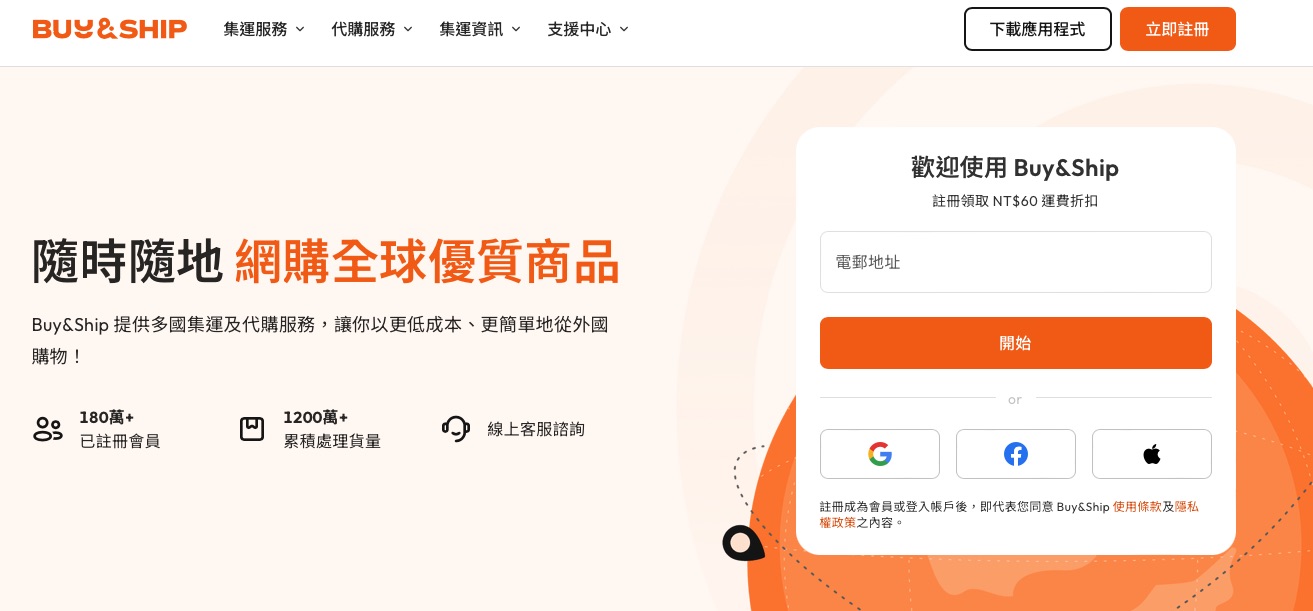
Buy&Ship Taiwan homepage sign-up form: enter email or continue with Google, Facebook or Apple

Step 1

前往 Buy&Ship 網站,點擊右上角完成「註冊」會員步驟。
Buy&Ship 新會員註冊教學
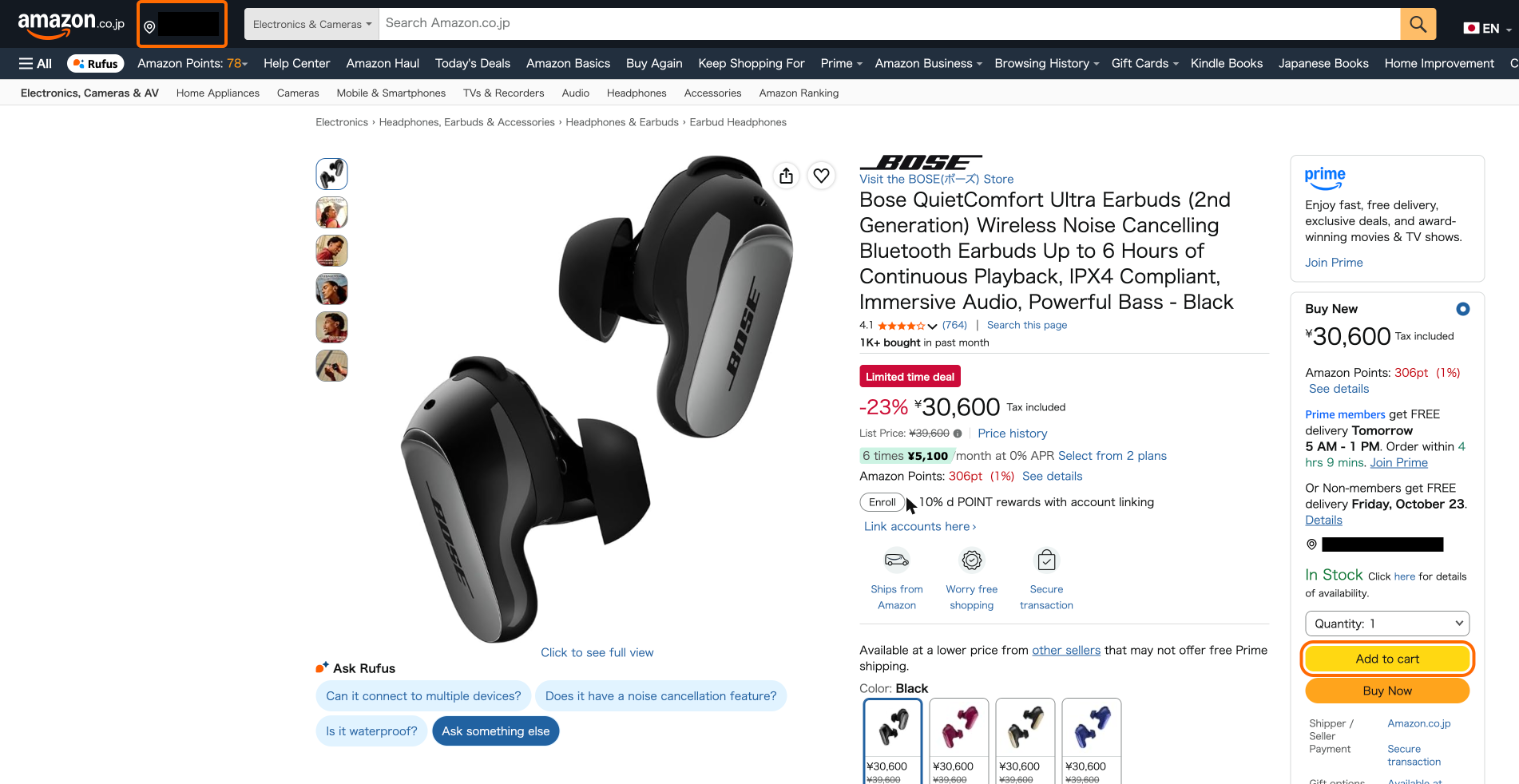
Amazon Japan product page with the Deliver to and Add to cart buttons highlighted

Step 2

前往 Amazon JP ,點擊左上角「Deliver to」並輸入日本倉庫郵便番号,然後挑選心儀的商品加入購物車。
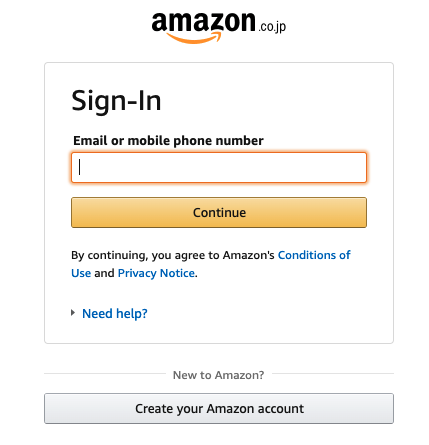
日本亞馬遜網購集運教學4-登入/註冊Amazon JP會員

Step 3

登入 / 註冊 Amazon JP 會員。

Buy&Ship overseas warehouse address page for the Japan Chiba warehouse

Step 4

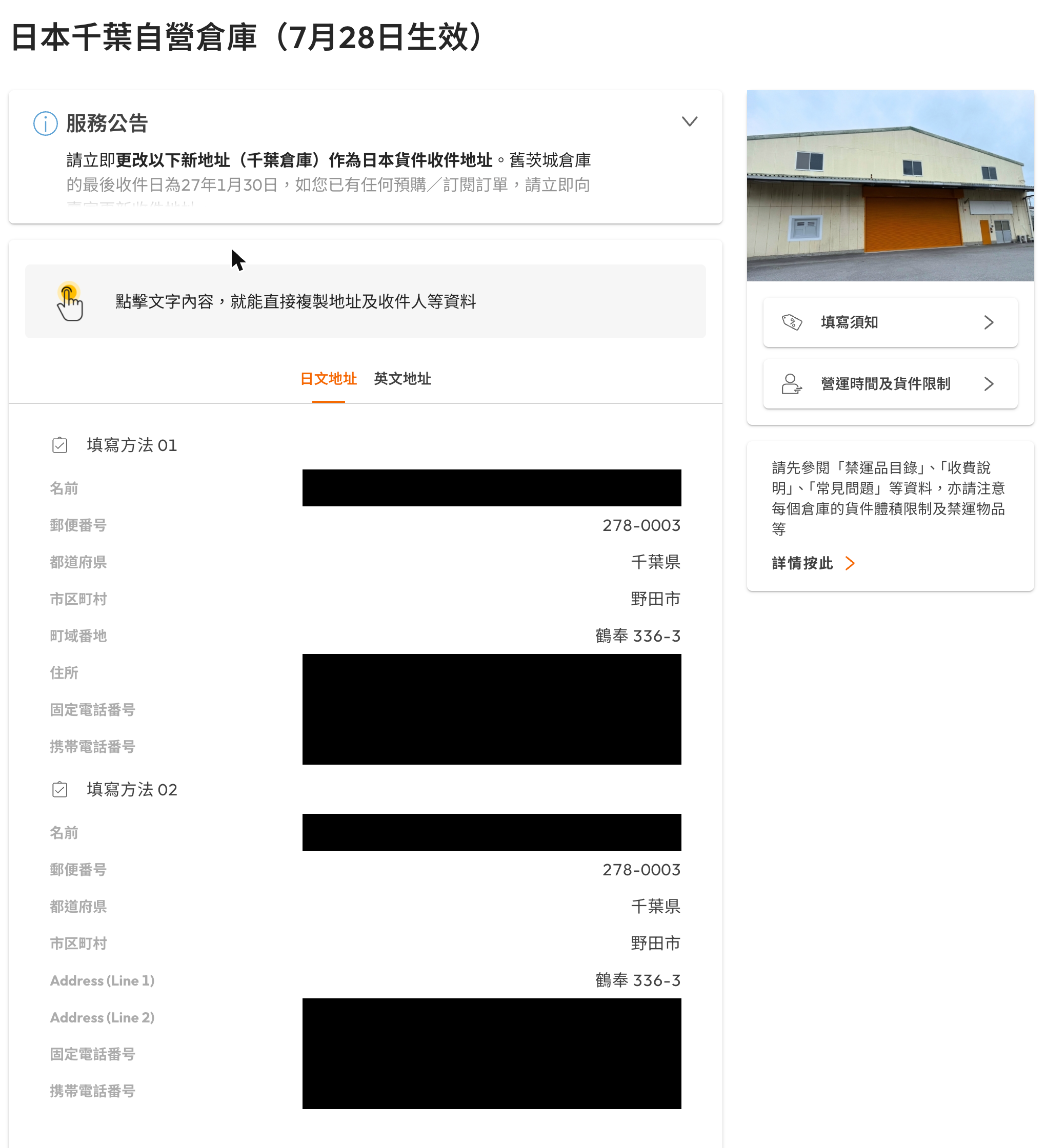
打開 Buy&Ship 官網的「海外倉庫地址」,選擇「日本」並把地址覆制至正確位置,除了自己的名字,還要填寫 Buy&Ship 會員編號。
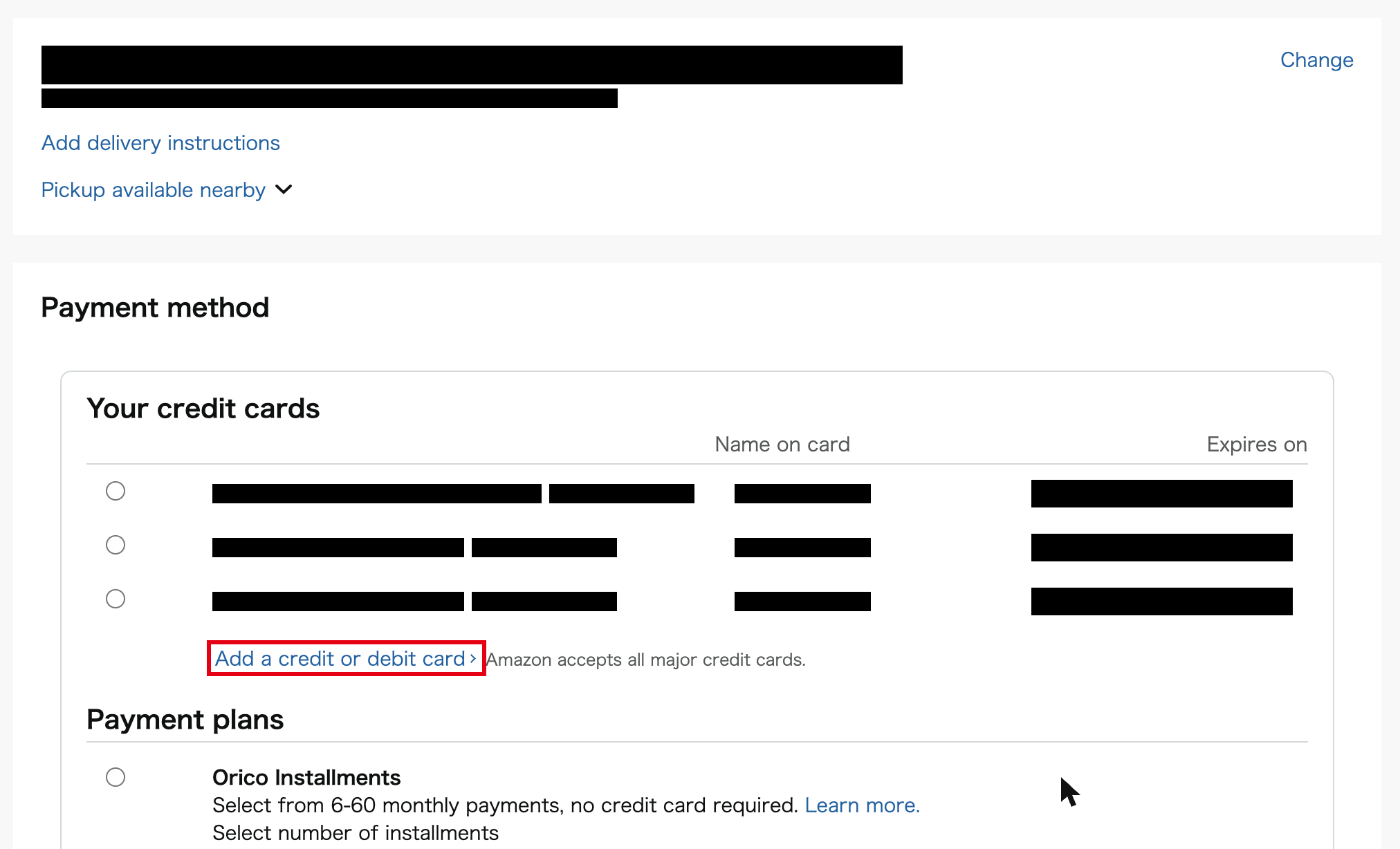
Amazon Japan payment page with Add a credit or debit card highlighted

Step 5

進入付款頁面後,點擊「Add a credit or debit card」,並填寫信用卡資料進行付款。
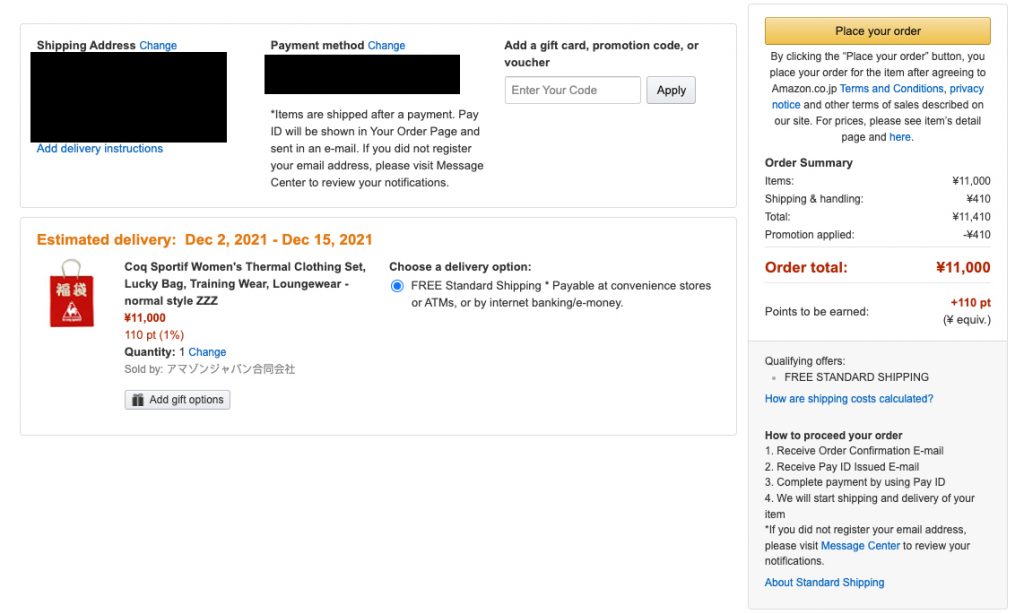
日本亞馬遜網購集運教學7-提交訂單等待發貨後到Buy&Ship網站申報貨件

Step 6

確認訂單信息,然後點擊「Place your order」提交訂單即完成購買手續。記得商品發貨後要到 Buy&Ship 申報貨品~

點我看:Buy&Ship申報貨件教學

Buy&Ship貨件轉運教學

Buy&Ship member centre with the Add shipment button highlighted

Step 1

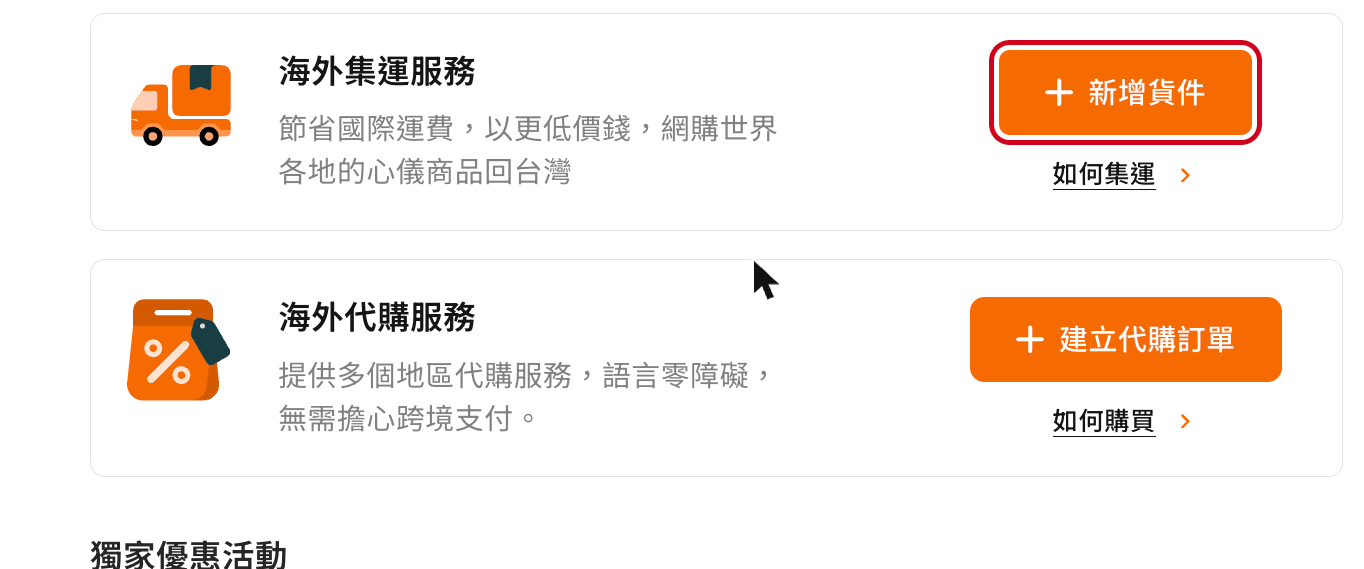
登入 Buy&Ship 會員中心,點擊「新增貨件」。

Select overseas warehouse list with Japan Ibaraki/Chiba highlighted

Step 2

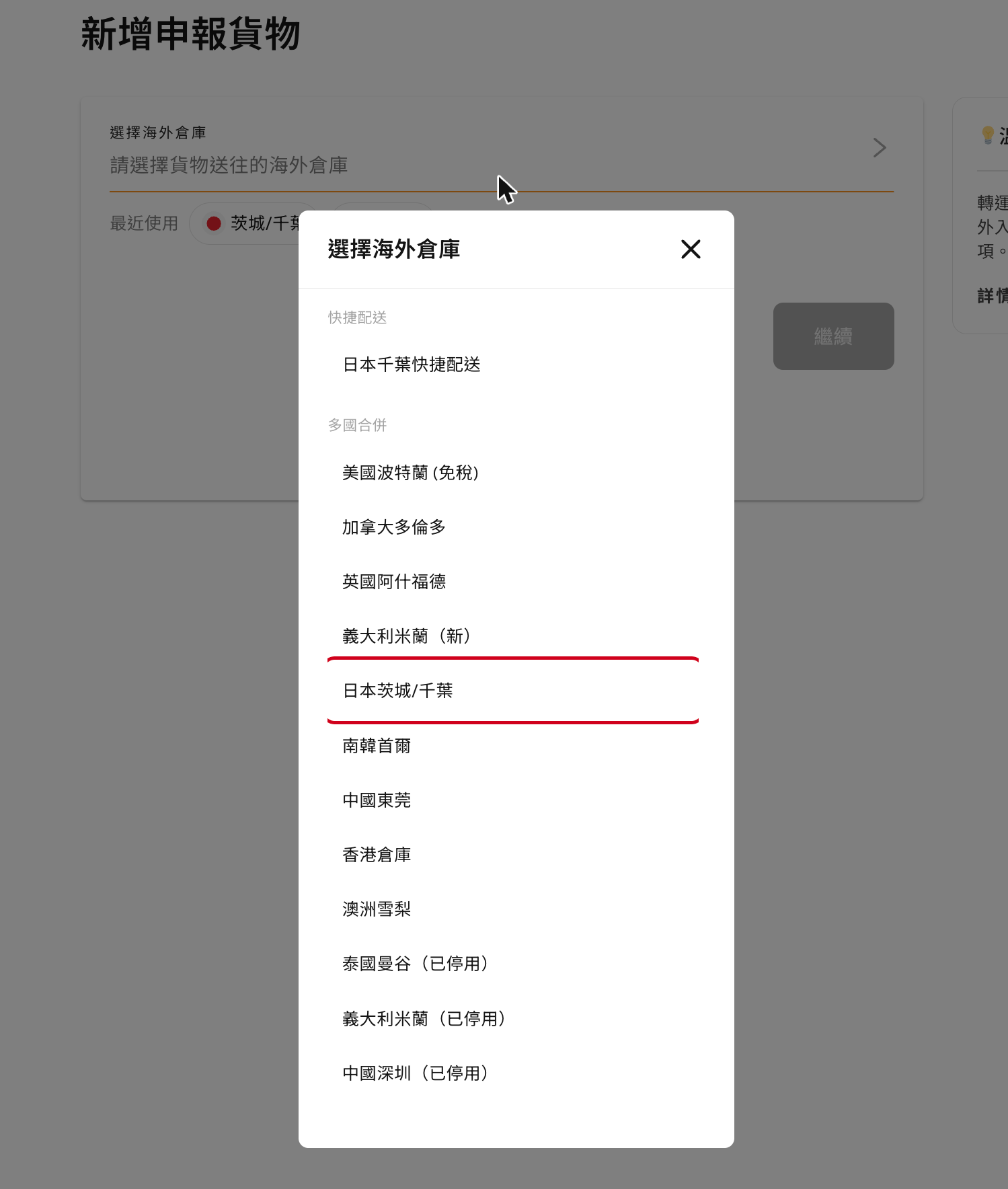
選擇貨件所屬的海外倉庫,例如「日本茨城/千葉」。

Declare parcel form with the tracking number filled in and the Add product button highlighted

Step 3

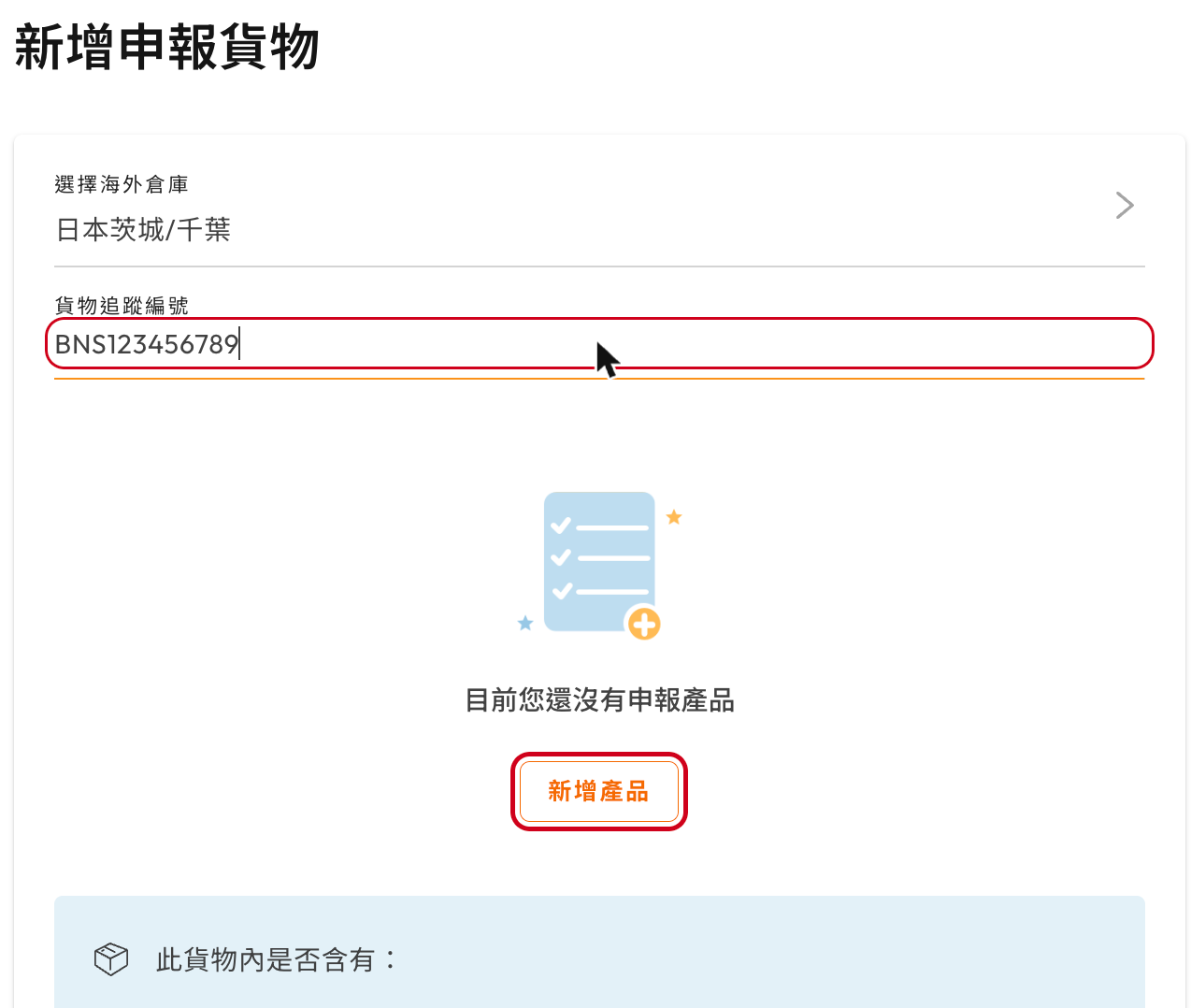
複製貼上發貨電郵中的貨件追蹤編號(Tracking number)。

然後點擊「新增產品」填寫網購商品資料。
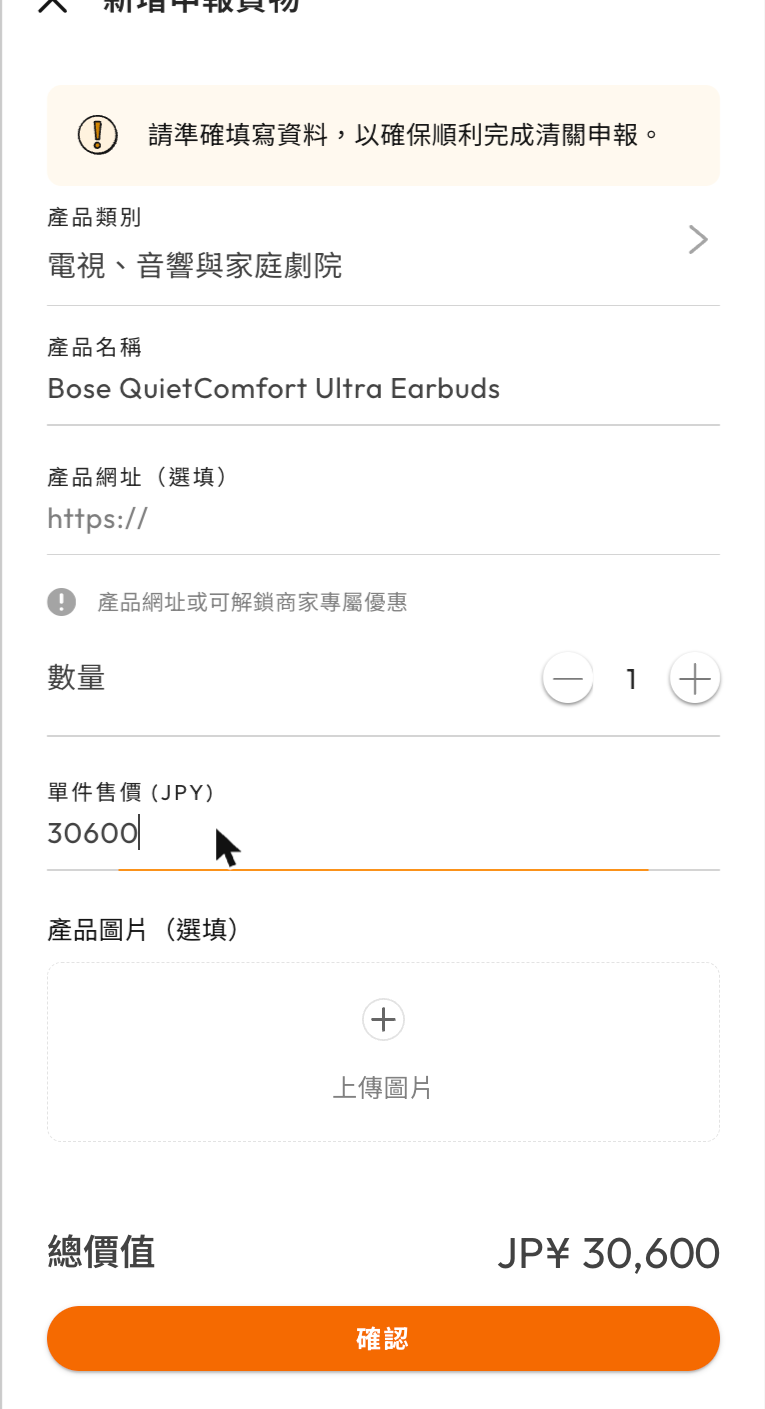
Add product form with category, name, quantity and unit price

Step 4

選擇產品類別,並填寫產品名稱、數量及單件售價(日圓),然後點擊「確認」。

產品網址為選填項目,填寫後或可解鎖商家專屬優惠。
🔗 延伸閱讀:【Buy&Ship代運小課室】申報貨件3分鐘輕鬆搞定!超貼心申報流程教學

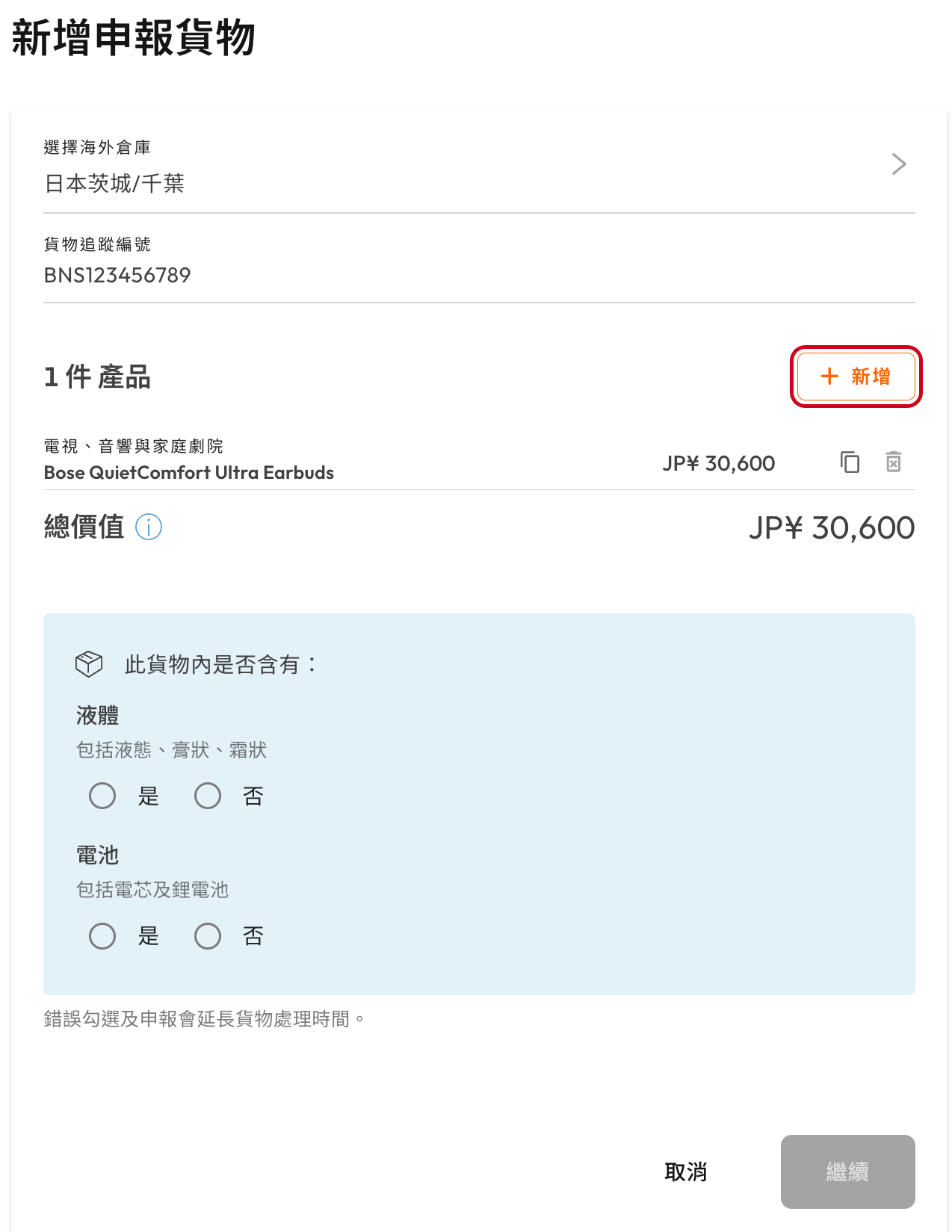
Declared products list with the Add button for more products

Step 5

如果同一貨件內有多於一款產品,請點擊「+新增」填寫其餘產品資料。
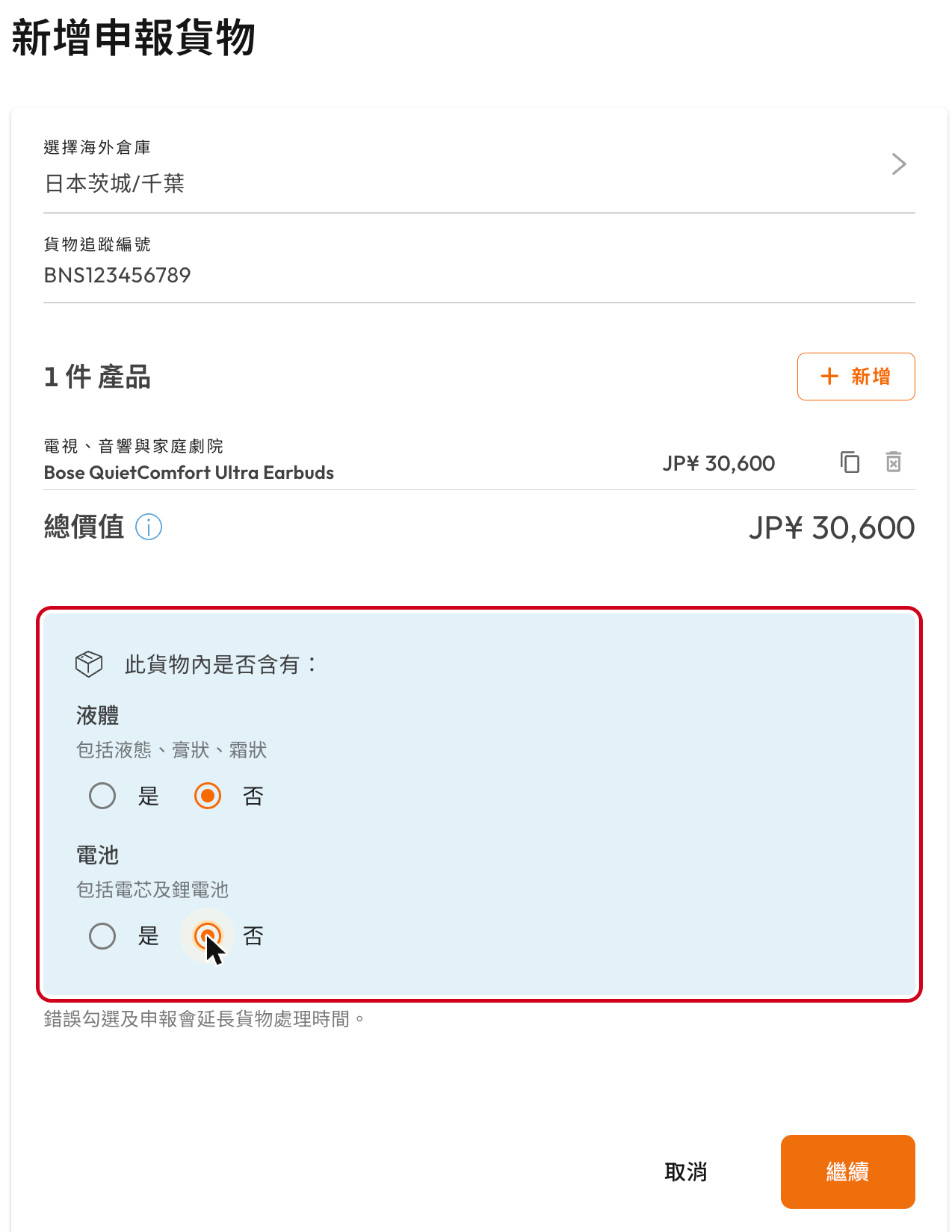
Liquid and battery questions with No selected before continuing

Step 6

選擇貨件內是否含有液體及電池,然後點擊「繼續」。

錯誤勾選及申報會延長貨件處理時間。
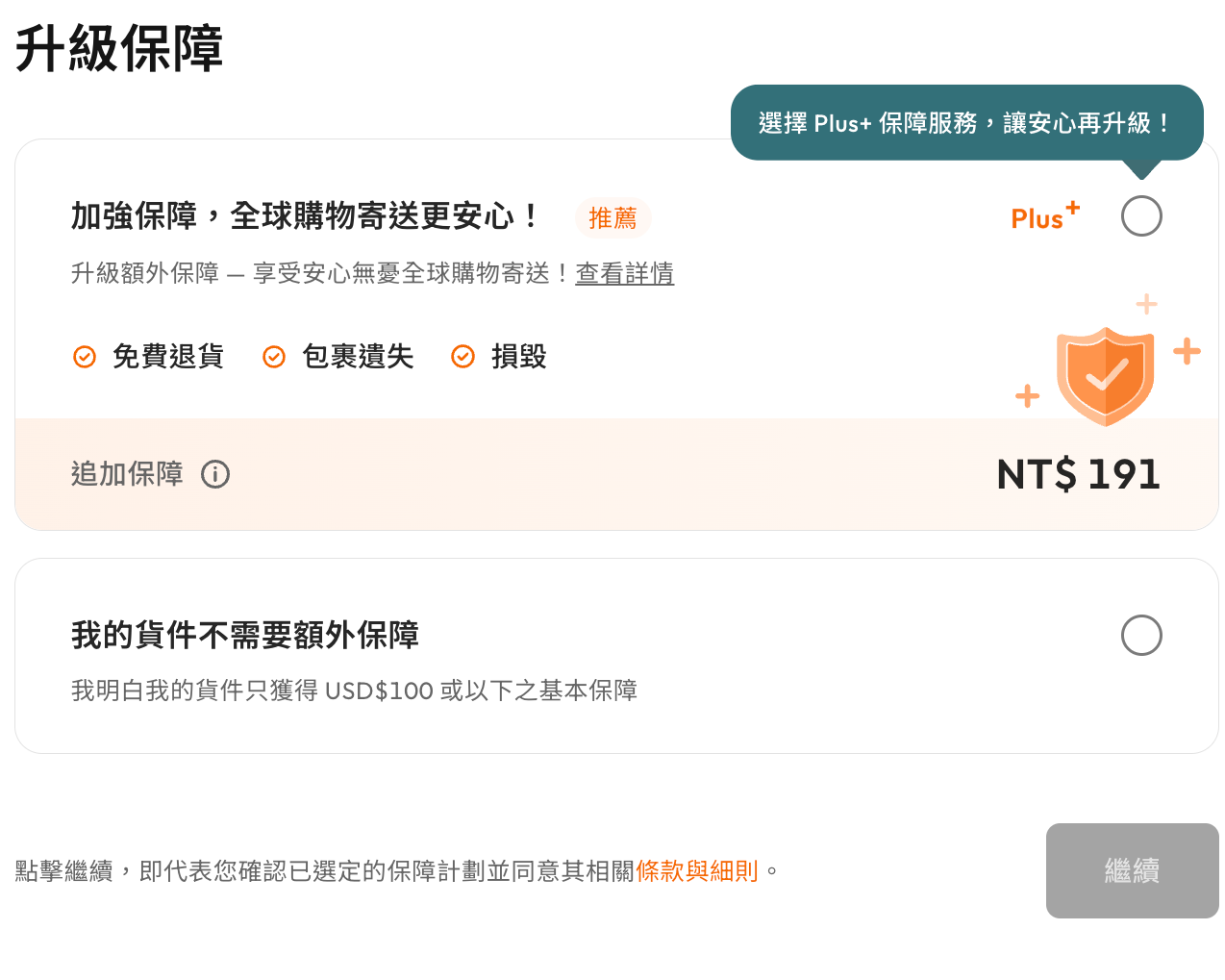
Upgrade protection page: Buy&Ship Plus or no extra protection

Step 7

選擇是否為貨件加購 Buy&Ship Plus 額外保障,然後點擊「繼續」。

💡有關 Buy&Ship Plus 詳情可點此瀏覽。

Confirm parcel declaration details page with the Confirm and declare button

Step 8

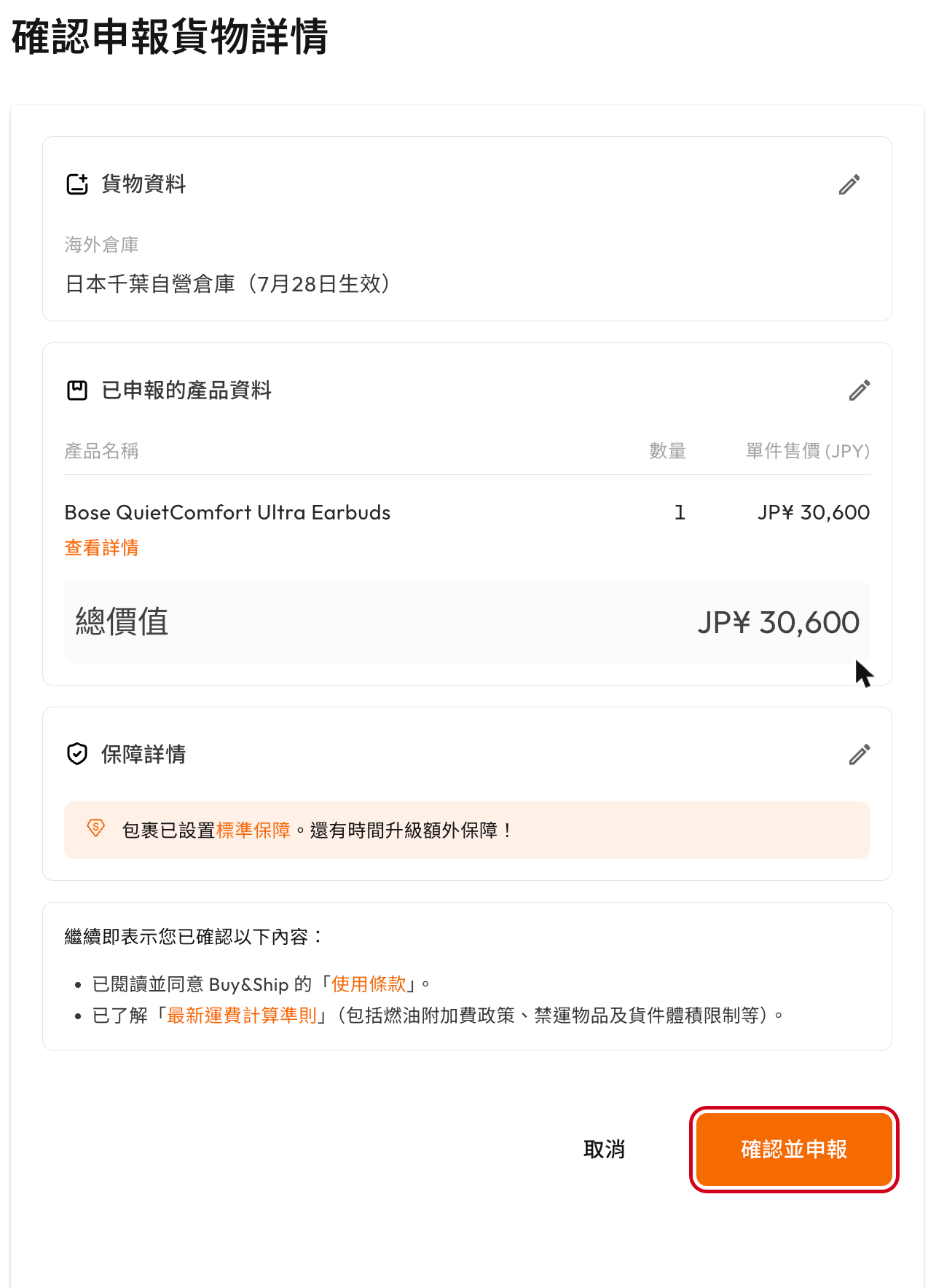
核對申報內容,確認無誤後點擊「確認並申報」提交。

恭喜你!成功申報之後,只需要等待貨件到達海外倉庫就可以了~


相關文章